One system.Your entire portfolio.
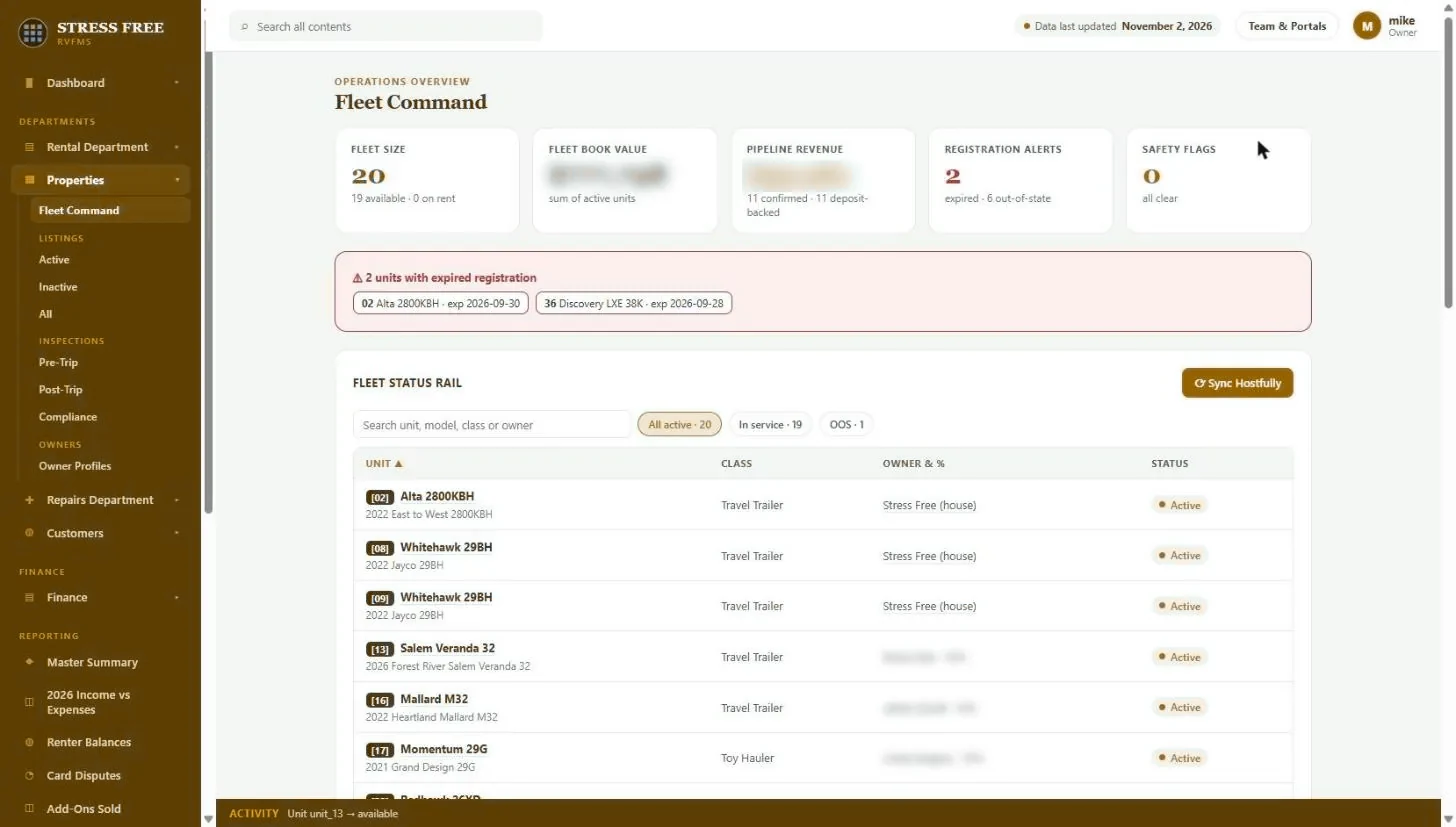
Portfolio Command shows portfolio size, availability, pipeline revenue, permit alerts and safety flags, with a status rail of every property, its type, owner and status.
Ask how many properties are open right now, which permits expire this month, or who owns the lake house, and the answer is usually “let me check.” Property details live in a binder, a spreadsheet and a booking platform that does not know the alarm code.
Portfolio Command is the top of the portfolio: properties live and offline, confirmed pipeline, expired or expiring permits and safety flags, followed by a status rail of every property with its type, owner and status. Each property record holds the details, documents, service history, owner and bookings.
Capabilities
- Portfolio size, availability and properties on rent
- Confirmed pipeline at a glance
- Registration alerts and safety flags
- Every property with model year, class, owner and status
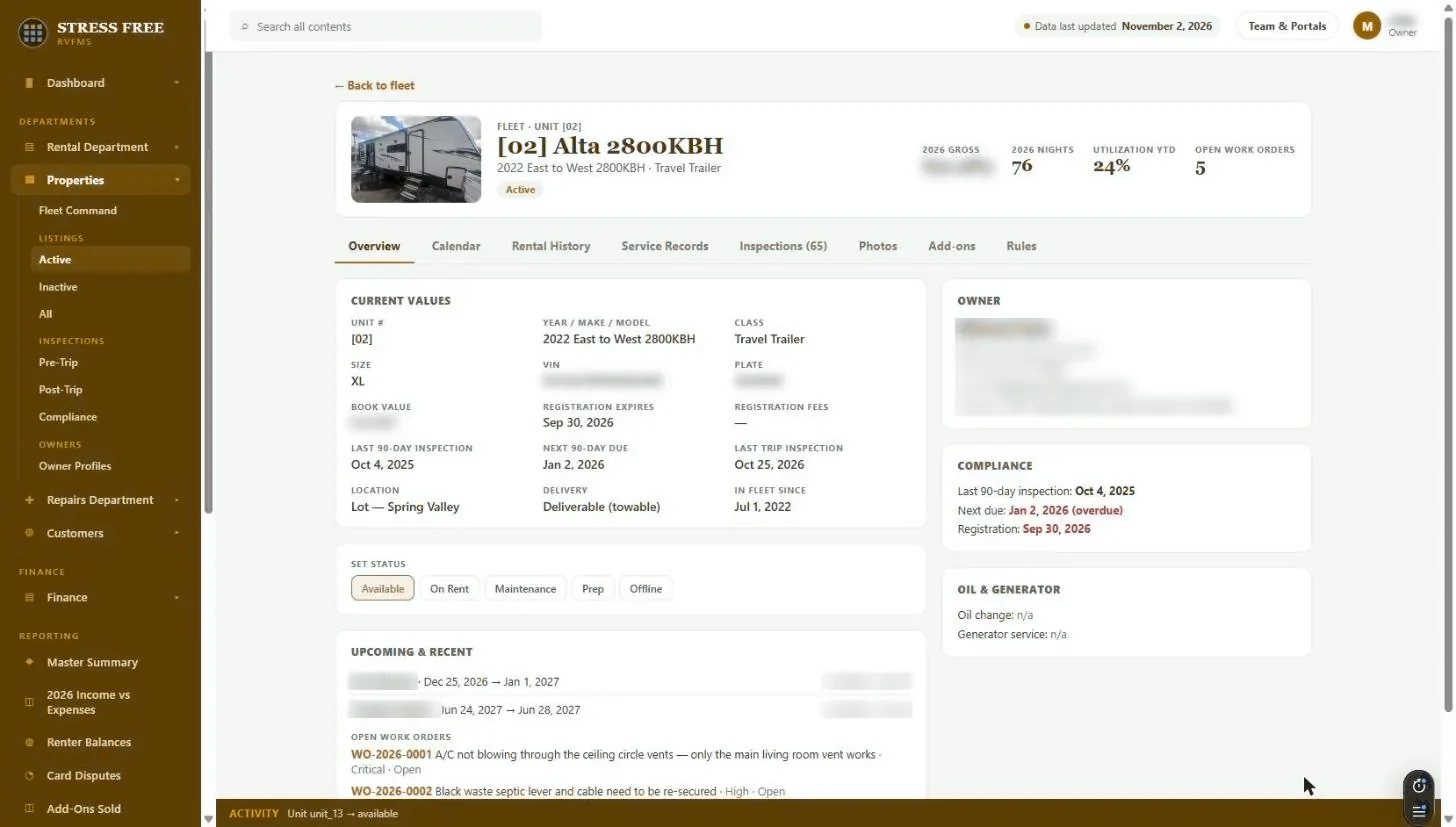
- Property records with documents, service history and bookings
- Active, inactive and out-of-service filters
- Portfolio value and pipeline status
- Activity history for active and inactive properties
What you get back
Answers, not “let me check”
Portfolio status, compliance and ownership in one place.
Compliance on autopilot
Expiring registrations are called out before they become a ticket.
A record that scales
Adding properties adds rows, not complexity.
Portfolio command: FAQ
Can I track properties that are not for rent?
Yes. Properties can be active, inactive or out of service, and each view filters accordingly.
Can I keep permits and licenses on each property?
Yes. Permits, licenses, HOA rules and insurance documents are kept on the property record with renewal dates.
See it with your own portfolio.
We will walk through portfolio command using your properties, your channels and the way you already work.